
Tracking Article Changes: Version History & Diff View
Simon
A few weeks ago I shipped a feature that detects when publishers update an existing article. Feedlane compares content hashes during sync - if the hash changes, the article gets flagged as updated and shows up in a dedicated "Recently Updated" view in the sidebar.
That was useful on its own, but the obvious next question was: what actually changed?
Version History
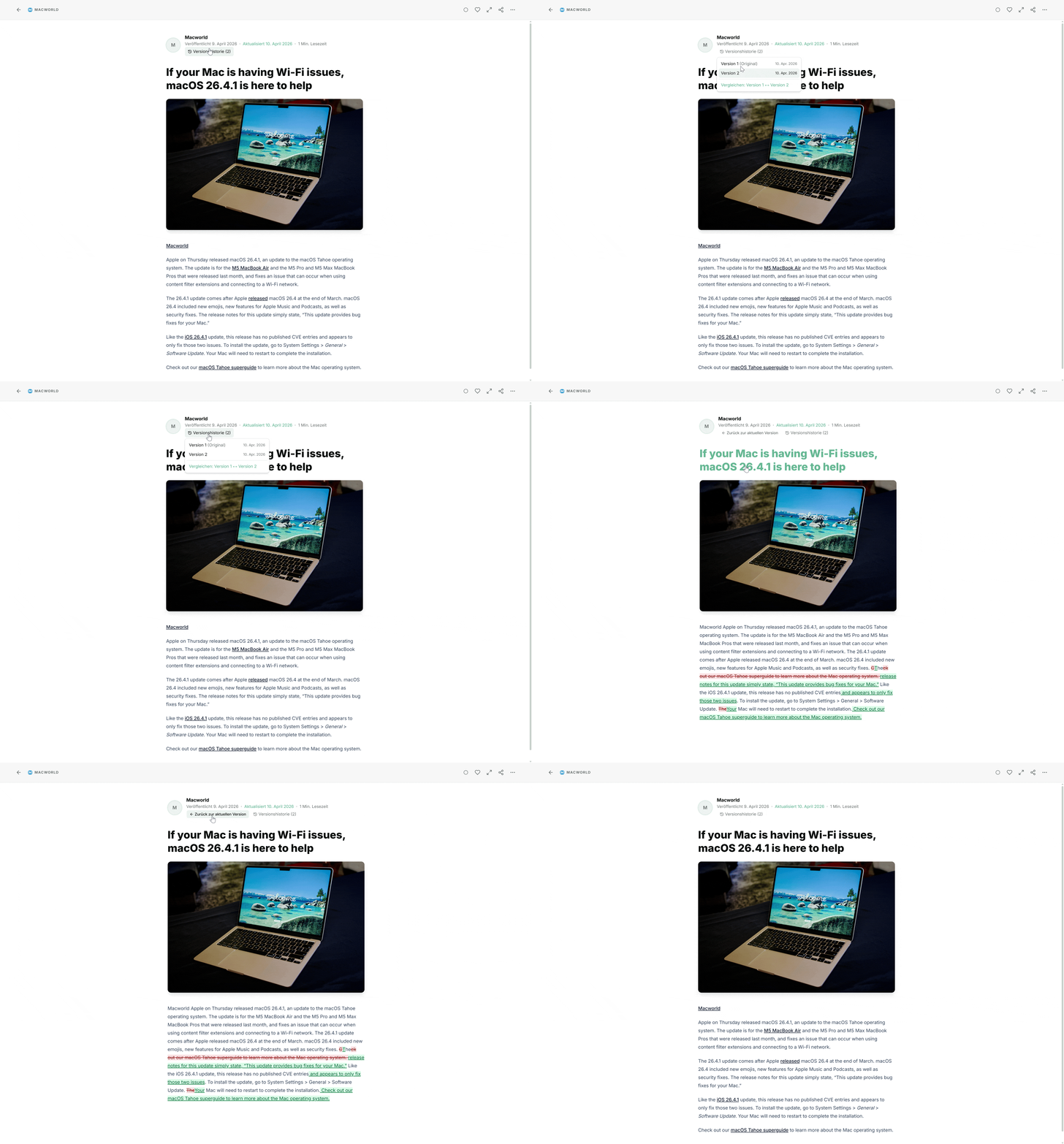
Starting today, Feedlane stores full content snapshots whenever an article gets a meaningful update. On the first detected change, both the original version and the new version are saved. Every subsequent update adds another version on top.
You'll see a "History" button in the article detail view whenever versions are available. Click it, pick a version from the dropdown, and the article content switches to that version. There's also a compare option that shows an inline word-level diff between the original and the latest version - additions highlighted in green, deletions in red with strikethrough.
The Noise Problem
Not every content change is worth tracking. A lot of feeds update articles constantly with tiny tweaks - a tracking pixel changes, a timestamp gets refreshed, an ad snippet rotates. In my initial tests, the majority of detected "updates" were under 20 characters of actual content difference. That's noise, not news.
So there's a threshold system with two layers:
Storage threshold (fixed at 20 characters): The sync engine only creates version snapshots when the plaintext difference is at least 20 characters. Anything below that never gets stored.
Display threshold (per-user, default 20): In Settings > General, you can configure the minimum character difference for an article to appear in the "Recently Updated" view. The minimum is 20 (matching the storage floor), the maximum is 10,000. If you only care about major rewrites, crank it up.
I'll keep an eye on the real-world data and may adjust the thresholds over time.
The feature is available now for all users. Just open an updated article and hit the History button.